Windows 11 Movable Taskbar Is Finally Coming Back
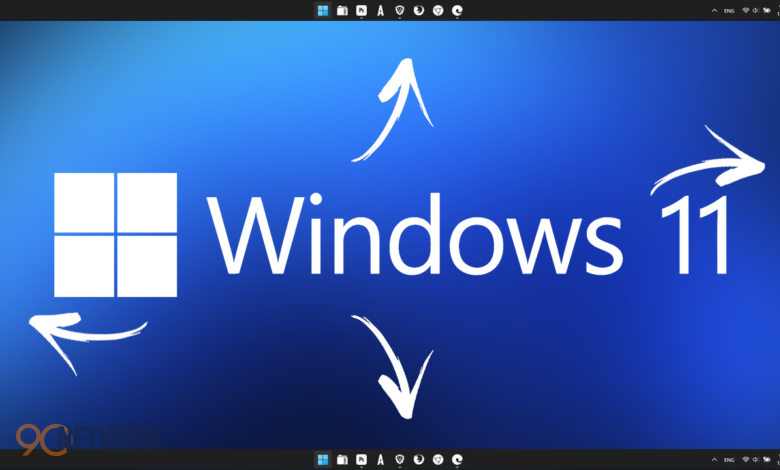
The Windows 11 movable taskbar is making a long-awaited return, marking a major shift in Microsoft’s approach to customization. After years of user frustration, Microsoft is preparing to restore the ability to reposition the taskbar—bringing back a feature that was once central to the Windows experience.
This update could significantly improve usability, especially for users who depend on flexible desktop layouts for productivity.
Why Taskbar Customization in Windows 11 Matters
When Windows 11 first launched, it removed several legacy features, including taskbar repositioning. This change quickly became one of the most criticized aspects of the operating system.
Users had grown accustomed to placing the taskbar:
- Vertically on the left or right
- At the top of the screen
- Based on personal workflow preferences
Removing that flexibility disrupted established habits and reduced efficiency for many users.
New Placement Options for the Taskbar
With this update, Microsoft is reintroducing more control over taskbar positioning.
Expected layout options include:
- Top of the display
- Left side (vertical layout)
- Right side (vertical layout)
- Bottom (default position)
The goal is to ensure that all taskbar features—such as pinned apps, system tray icons, and notifications—function smoothly in each layout.
Microsoft Responds to User Feedback
The return of this feature highlights Microsoft’s renewed focus on user-driven improvements. Over time, feedback from the Windows community has made it clear that customization is not optional—it’s essential.
By restoring repositioning options, Microsoft is:
- Addressing long-standing complaints
- Improving user satisfaction
- Reinforcing flexibility in Windows design
This reflects a broader effort to refine Windows 11 based on real-world usage.
Why the Feature Was Removed Initially
The absence of taskbar repositioning wasn’t accidental. Microsoft rebuilt the taskbar using a modern framework, which limited certain legacy capabilities.
As a result:
- Some customization features were dropped
- The interface became more simplified
- Flexibility was reduced in favor of consistency
Reintroducing these options requires additional engineering to ensure compatibility with newer system components.
More Improvements Beyond Taskbar Movement
The update goes beyond simply restoring movement. Microsoft is working on additional enhancements to improve the taskbar experience overall.
Potential updates include:
- Adjustable taskbar size
- Compact mode for smaller icons
- Better support for multiple monitors
- Improved responsiveness and animations
These changes aim to create a more polished and adaptable interface.
Release Timeline and Availability
Microsoft is expected to roll out these changes تدريجيًا, starting with testing phases before a wider release.
Likely rollout plan:
- Early testing through Windows Insider builds
- Gradual expansion based on feedback
- Public release later in 2026
This approach allows Microsoft to refine performance and stability before reaching all users.
Productivity Benefits of a Flexible Taskbar
Reintroducing taskbar positioning isn’t just about preference—it can directly impact productivity.
Key advantages:
- Better use of screen space on ultrawide monitors
- Easier multitasking with vertical layouts
- Personalized workflows tailored to user needs
For professionals such as developers and designers, these small adjustments can make a big difference in daily efficiency.
Challenges in Reintroducing Taskbar Movement
Despite its benefits, restoring this feature is technically complex.
Key challenges include:
- Maintaining consistent UI behavior across layouts
- Ensuring smooth animations and transitions
- Preventing performance issues on different devices
Because the taskbar is deeply integrated into the Windows interface, even small changes require careful optimization.
A Shift Toward User-Centered Design
The return of the Windows 11 movable taskbar signals a broader change in Microsoft’s strategy.
Instead of prioritizing rigid design decisions, the company is now focusing on:
- Flexibility and customization
- Incremental improvements
- Long-term user satisfaction
This shift suggests a more balanced approach between modern design and user expectations.
What This Means for Future Windows Updates
Bringing back this feature could influence how Microsoft approaches future updates.
It shows a willingness to:
- Revisit past decisions
- Restore popular functionality
- Adapt based on feedback
This could lead to a more customizable and user-friendly operating system moving forward.
Final Thoughts
The Windows 11 movable taskbar is more than just a returning feature—it represents a renewed commitment to user choice. By restoring this long-requested capability, Microsoft is addressing one of the most common criticisms of Windows 11.
As the update rolls out, it is likely to improve both productivity and overall user satisfaction, reinforcing the importance of flexibility in modern operating systems.